How to create a local tournament with a cricket tournament scoring app
CricLogs gives local organizers a simple route from a tournament idea to scored matches and player leaderboards. This visual guide walks through the core setup flow in the Android app.
The quick version: create, score, follow
- Start a tournament: open the tournament area and choose Create New Tournament.
- Fill in the essentials: set its name, dates and city, then create the event.
- Add the match-day setup: bring in teams, grounds and officials as needed.
- Score and follow: record fixtures ball by ball and use results and leaderboards to follow the season.
Step 1: Start a new local tournament
From the CricLogs tournament area, select Create New Tournament. This starts a single place for the local event, where its teams and scored fixtures can stay connected as the competition moves forward.
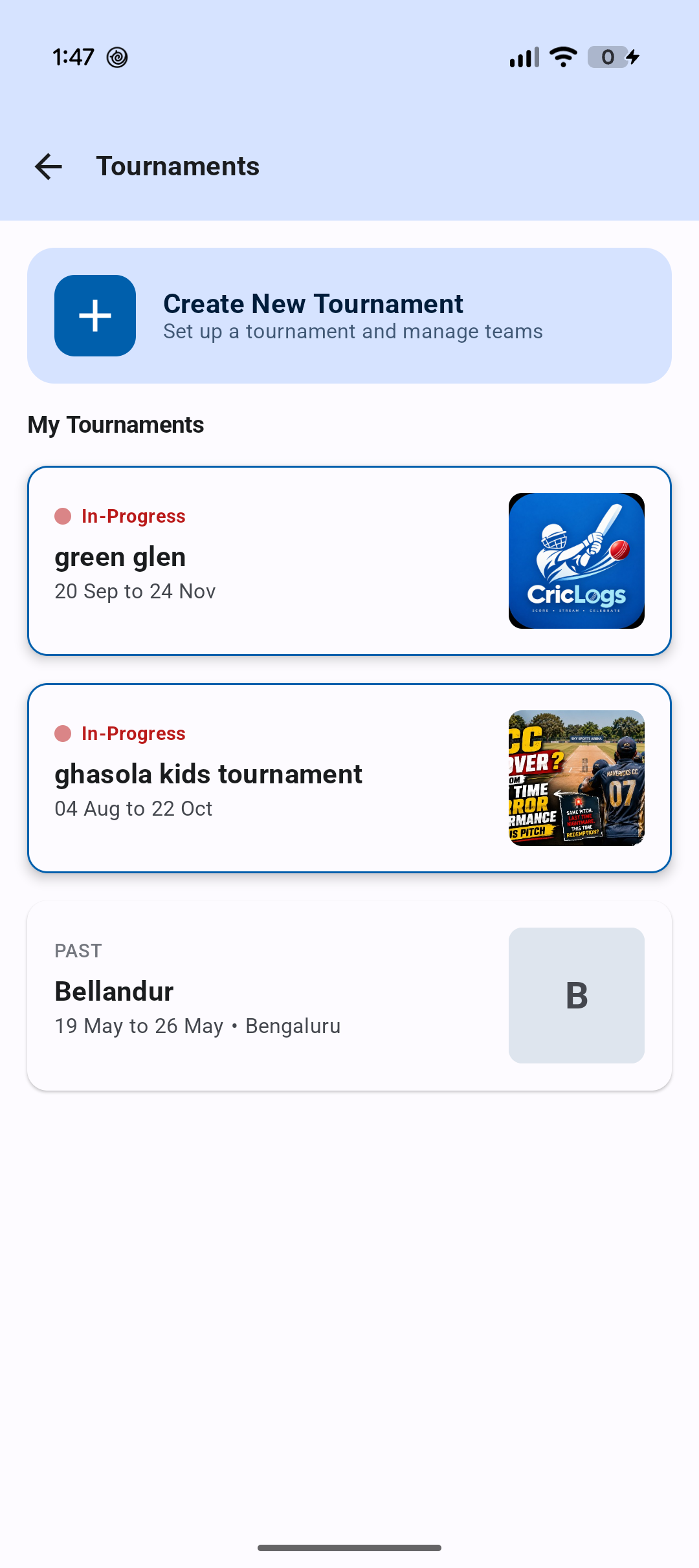
Decide on the tournament name and date range first. Using the same name everywhere makes it easier for teams and followers to recognize the event.
Step 2: Add the tournament name, dates and city
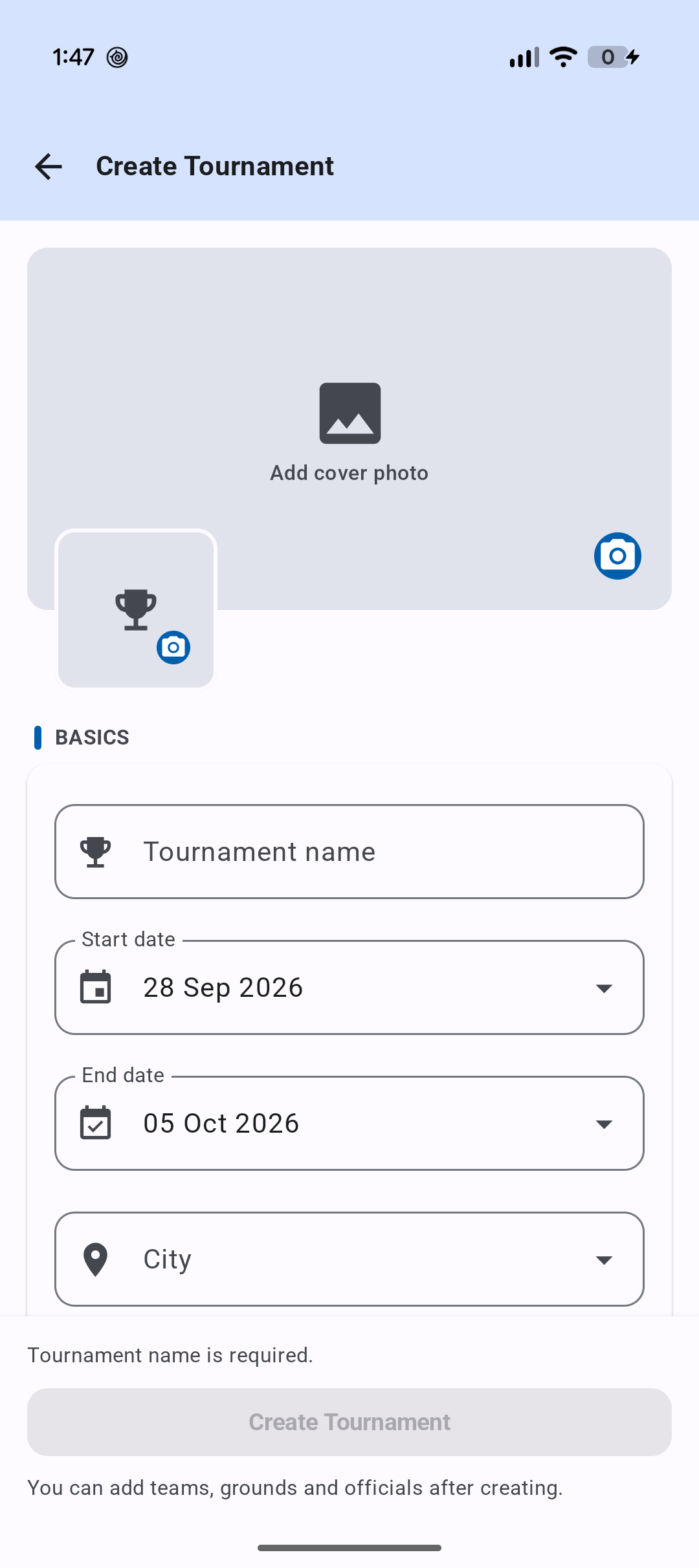
Use the Create Tournament form to add the details that identify the event. You can add a cover photo and tournament logo, then enter the tournament name, start date, end date and city before creating it.
- 1
Name the competition
Choose a clear name that players and supporters will recognize on match cards and tournament views.
- 2
Set the schedule
Enter the start and end date so the tournament period is clear before fixtures begin.
- 3
Choose the city
Capture the tournament location, then create the event and continue adding the people and places involved.
Step 3: Add teams, then score each fixture
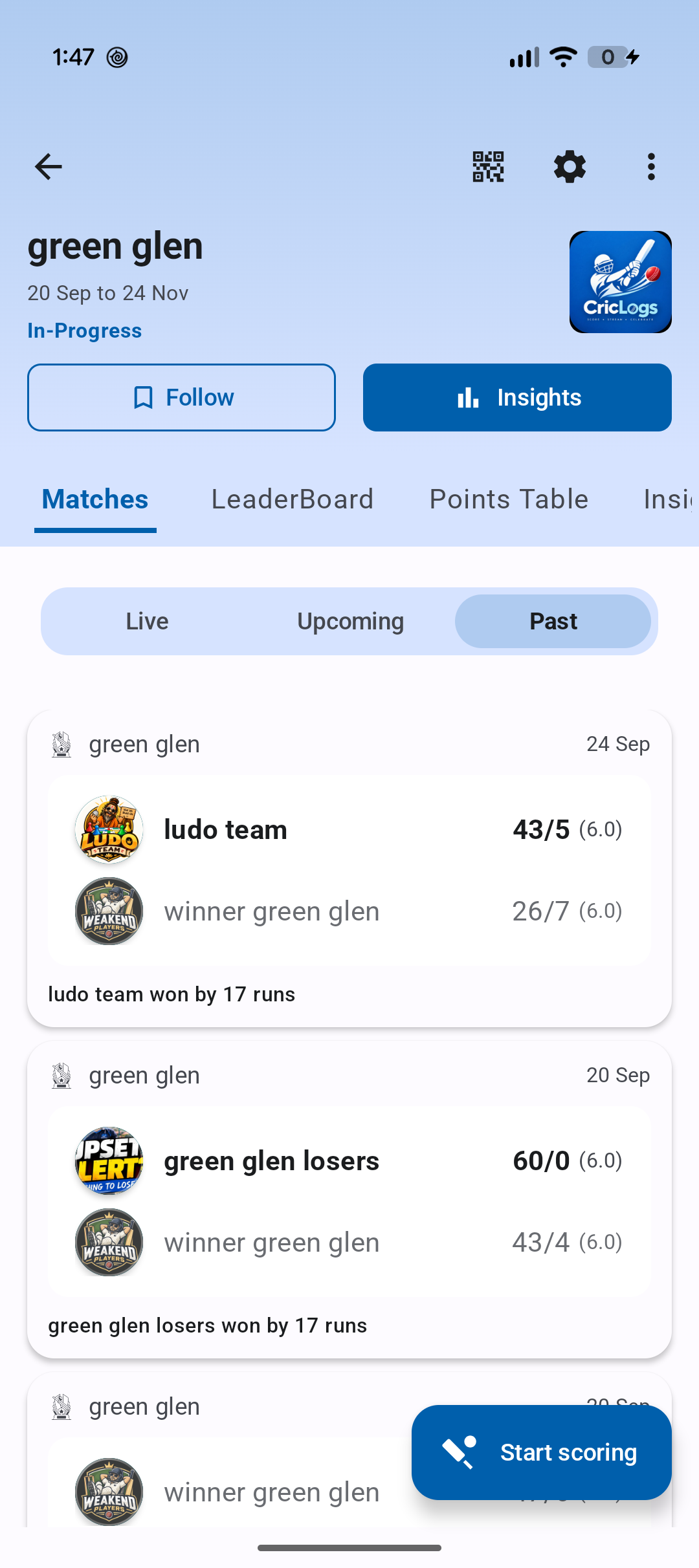
After the tournament is created, add teams, grounds and officials as needed for the competition. Once a fixture is ready, score it ball by ball in CricLogs. The tournament match area keeps live, upcoming and past games together.
- Before the first ball: check team names and match details for consistency.
- During play: score runs, wickets and deliveries ball by ball.
- After the match: the tournament retains the scorecard, result and winning margin.
Step 4: Follow the season through tournament leaderboards
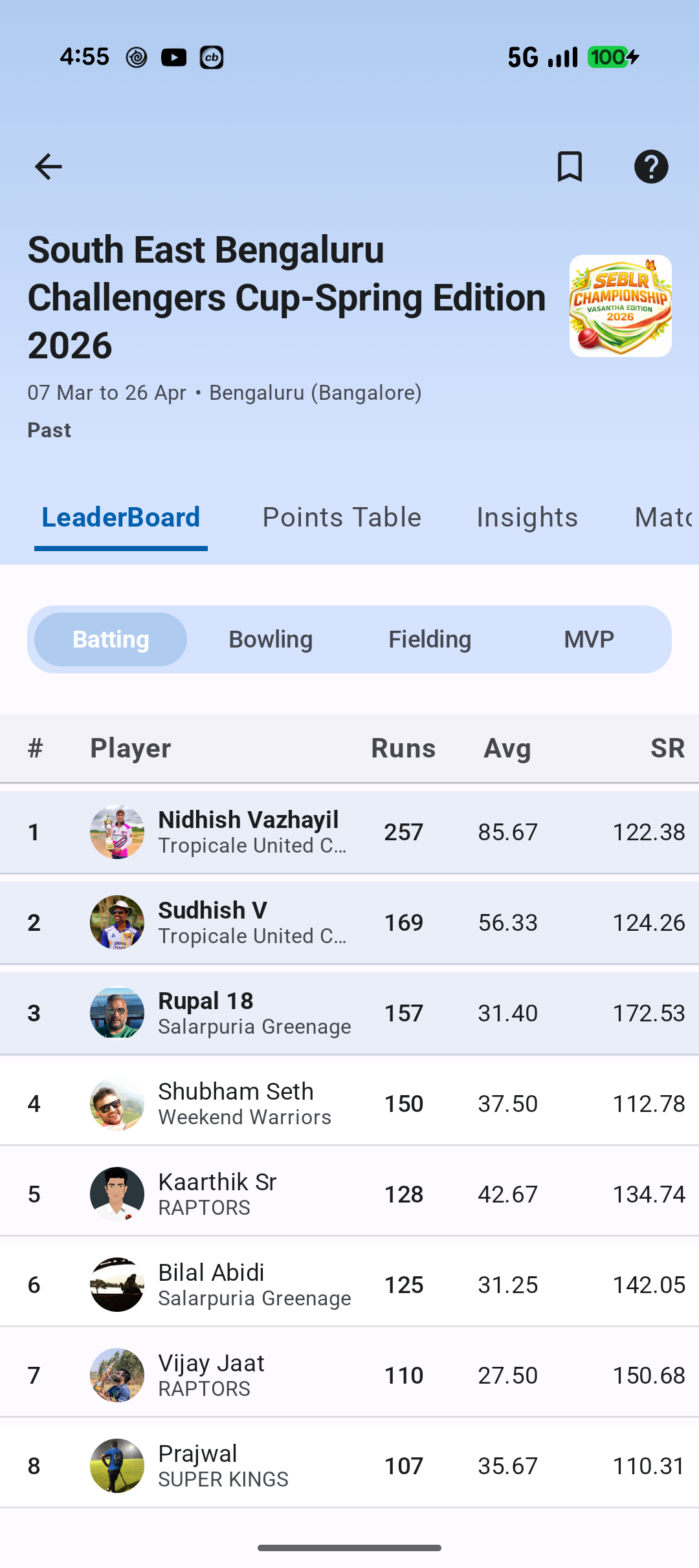
When matches are scored, their performances become easier to celebrate. Use the tournament leaderboard to follow leading batters, bowlers, fielders and MVP contenders across the event.
Local tournament setup checklist
Before creation
- Tournament name agreed
- Start and end dates confirmed
- City and venue information ready
Before match day
- Teams added with consistent names
- Grounds and officials prepared
- Scorer ready to record each ball
Frequently asked questions
Is CricLogs a cricket tournament scoring app?
What can I add when creating a tournament?
Can players follow tournament statistics?
Where can I learn more about local tournament scoring?
Set up your next cricket tournament with CricLogs
Create the event, score its matches and make every result easier to follow.
Get CricLogs on Google Play