Box cricket live streaming from one phone on the cage
Box cricket is the easiest cricket to stream badly. The net blurs the lens, floodlights flicker, and a speaker at the venue gets the video muted. Set up properly, a turf match looks great on a phone screen, and you can stream it free with a live score strip from the CricLogs Android app.
The short answer
- Create the match in CricLogs as Box Cricket, with your venue's overs and players per side.
- Mount the phone high on the cage behind one end, lens pressed against a gap in the net.
- Choose portrait if people watch from WhatsApp on phones, landscape for YouTube on TV.
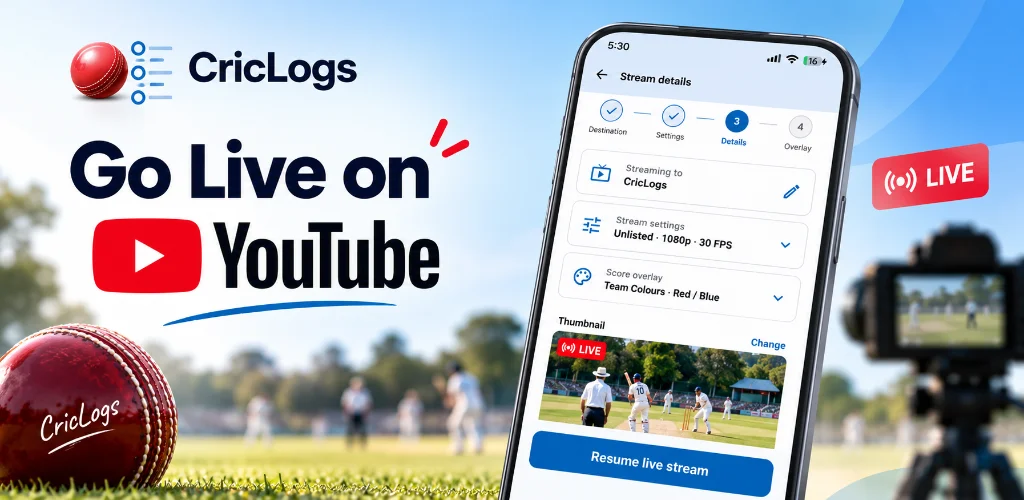
- Go Live to YouTube or a custom RTMP destination, and score every ball so the strip stays right.
- Turn off the venue music near the camera, or YouTube may mute the video.
Why box cricket needs a different setup
Most streaming advice assumes an open ground with a tripod behind the keeper. A box is a cage of netting, often 25–35 metres long, lit by floodlights, with walls, a roof or another box next door. That changes four things.
| Box cricket problem | What it does to the stream | Fix |
|---|---|---|
| Netting in front of the lens | The phone focuses on the net, not the players, so the whole match looks soft. | Press the lens into a gap in the mesh, or mount above the net line. |
| Floodlights | Some lights flicker on camera as moving bands, and night games can look grainy. | Stream at 30 FPS under lights; avoid 4K at night; wipe the lens. |
| Short, fast matches | Six to ten overs leave no time to fix a setup mid-match. | Do one test stream before the first booking of the evening. |
| Venue speakers | Music picked up by the mic can get the archived video muted by YouTube's Content ID. | Ask the venue to pause music near your box, or move the phone away from the speaker. |
Where to put the camera in a box
The best position is the same idea as an open ground, in line with the pitch, but higher and closer.
- Behind the bowler's end, high on the cage: clamp or cable-tie a phone holder to the frame about 2–2.5 m up. You see the batter's face and shots, and the bowler's run-up is short enough to stay in frame.
- Behind the keeper, high: the classic broadcast view of the bowler running in. Mount above head height so the keeper does not block the stumps.
- Corner of the box, raised: a good second angle for highlights, but it loses the line of the ball. Not the main camera.
- Avoid ground level behind the net: the net is closest to the lens there and the frame is mostly the keeper's back.
If you cannot mount above the netting, push the lens right up against a gap in the mesh. When the net is in contact with the lens it disappears from the picture; at 20–30 cm away it becomes a blurry grid over everything.
For open grounds and the full set of camera positions, see best camera angles for cricket live streaming.
Portrait or landscape for box cricket?
CricLogs can stream in either. Choose by who is watching, not by habit.
| Portrait | Landscape | |
|---|---|---|
| Best for | Friends and family watching from a WhatsApp link on phones | YouTube viewers on TV, laptop or full-screen phone |
| What fits in frame | Batter, bowler and pitch. A box's narrow shape suits it | The whole box, including fielders on the sides |
| Highlights | Clips are ready for Shorts, Reels and Status without cropping | Better for long-form match videos |
| Score strip | Fits along the bottom of a tall frame | Classic TV-style strip across the bottom |
If you are unsure, go landscape for league and tournament matches and portrait for casual weekday bookings.
Go live in five steps
-
1
Create the match as Box Cricket
In CricLogs, create the match, choose the Box Cricket format, and set the overs and players per side your venue plays (often 6 or 8 a side, 5–10 overs).
-
2
Mount the phone on the cage, not the floor
Fix the phone high behind the bowler's or keeper's end of the net, lens right up against a gap in the mesh, so the netting does not blur the picture.
-
3
Pick orientation for your viewers
Landscape for YouTube viewers watching on TV or desktop; portrait if most people watch on phones from a WhatsApp link.
-
4
Go Live and choose the destination
Open Go Live on the match screen and pick your venue's YouTube channel, the CricLogs channel, or a custom RTMP destination.
-
5
Score every ball and share the link
Start streaming, drop the link in the booking group, and score ball by ball. The score strip on the stream updates with each entry.
Night matches and floodlights
- Use 30 FPS at night. Phones gather more light per frame at 30 than at 60, so the picture is cleaner.
- Skip 4K under lights. Most phone sensors are noisy in artificial light; 1080p looks sharper in practice.
- Watch for flicker. If bands roll across the picture, try moving the phone so fewer lights are directly in frame, or step down the frame rate.
- Clean the lens. Night shots show every fingerprint as a glow around the lights.
- Keep the phone out of the lights' heat in summer. Under a roof it does not need an umbrella, but it does need airflow.
For turf and box owners: streaming as part of the booking
Many venues now offer a live stream with every slot. A permanent setup is cheap: a phone mount fixed to the cage, venue Wi-Fi with a few Mbps of upload reserved for it, and a charger in a weather-proof box.
- Stream to your venue's YouTube channel so every match builds your channel and local search presence. Use the venue name in every title.
- Let the team captain score on their own phone. The stream's score strip follows whoever is scoring.
- Run your own leagues as tournaments in CricLogs, so teams get fixtures, a points table and player leaderboards. See tournament live streaming.
- Use unlisted streams for private bookings, so only the people with the link can watch.
Box cricket stats are counted fairly
Strike rates and economy rates are much higher in box cricket than in a T20 on a full ground. CricLogs compares each innings with the par for its own format, so a box cricket innings is not unfairly compared with a one-day game. How that works is explained in player tags: formats and par.
Frequently asked questions
What is the best app for box cricket live streaming?
How do I stop the net from blurring the stream?
Should I stream box cricket in portrait or landscape?
Can I stream box cricket on Instagram or Facebook?
How much internet do I need at the turf?
Why did YouTube mute part of my box cricket video?
Stream tonight's box cricket match
Download CricLogs for Android, create the match as Box Cricket and go live with a score strip that updates every ball.
Download free on Google Play